

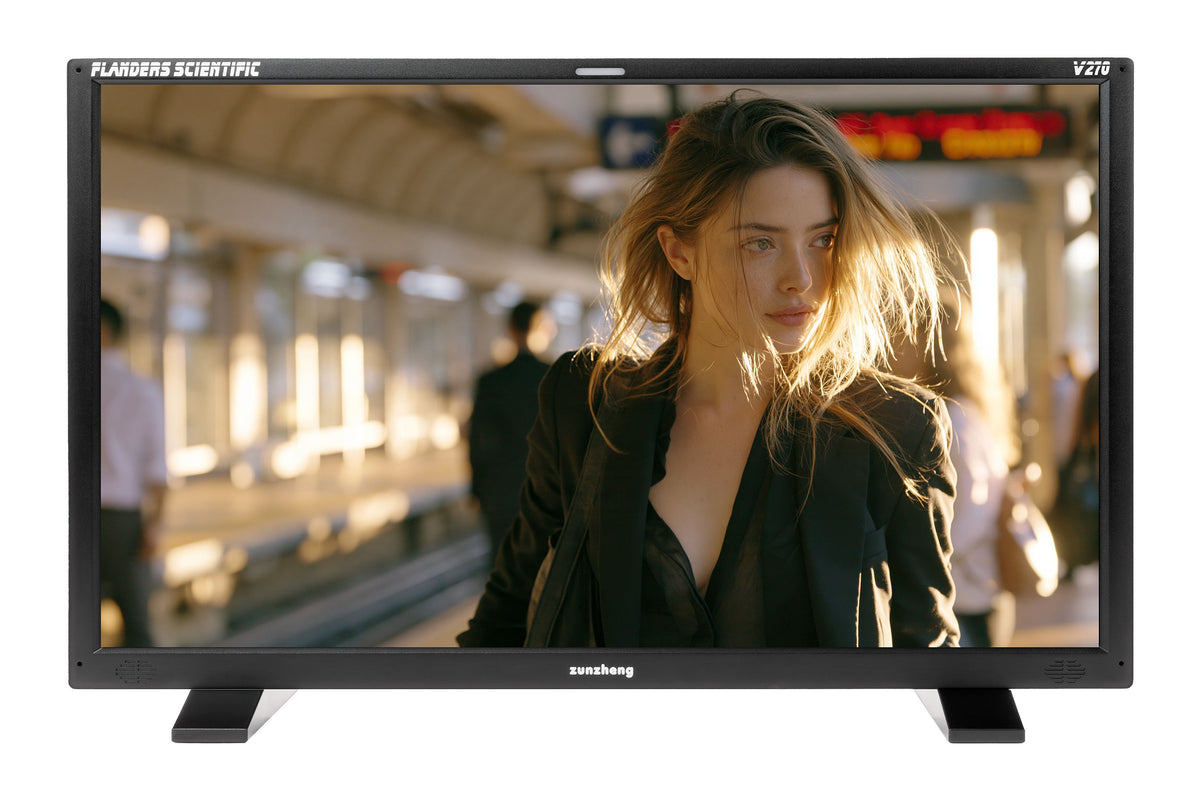


Flanders Scientific V270 26.5" HDR UHD QD-OLED Monitor with HDMI/DP Inputs
SKU V270
Special order: non-cancelable, non-returnable
26.5" QD-OLED HDR Reference Monitor
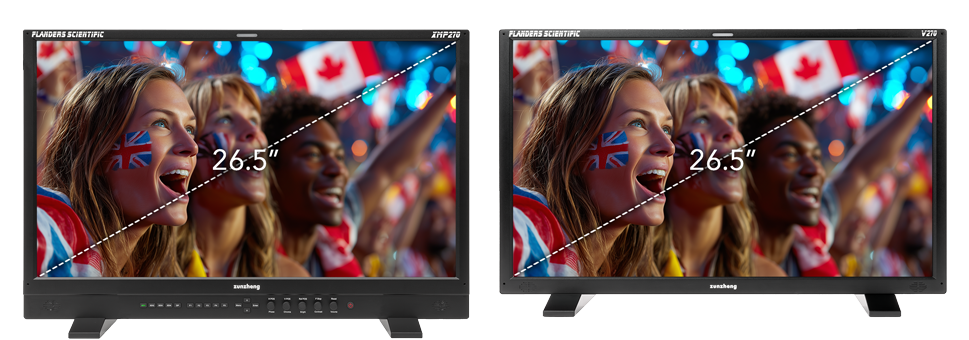
The V270 is a 26.5" QD-OLED HDR reference monitor built around the same premium panel technology as our flagship XMP270, but without SDI inputs. Designed for workflows that only require HDMI or DisplayPort connectivity, the V270 delivers accurate, high-quality HDR and SDR monitoring at a more accessible price point.
While streamlined compared to the XMP Series, the V270 retains the core FSI monitoring capabilities, including GaiaColor AutoCal and a wide range of professional tools, making it an ideal choice for editorial, VFX, graphics, and other applications where SDI connectivity and advanced scope or Livegrade integration may not be required.
26.5" QD-OLED Offerings
| V270 | VP270 | XMP270C | XMP270 | |
|---|---|---|---|---|
| 4× 12G SDI Inputs | – | ✓ | ✓ | ✓ |
| Quad View Mode | – | ✓ | ✓ | ✓ |
| 4× 12G SDI Clean Loop Outputs | – | ✓ | ✓ | ✓ |
| 4× 12G SDI Processed Outputs | – | – | – | ✓ |
| HDMI 2.1 Input | ✓ | ✓ | – | – |
| DisplayPort 1.4 Input | ✓ | ✓ | ✓ | ✓ |
| Front Keypad & Rotary Knobs | – | – | – | ✓ |
| Stereoscopic 3D Support(3D glasses sold separately) | ✓ | ✓ | – | – |
| Standard Features | ✓ | ✓ | ✓ | ✓ |
| Advanced Features | – | – | ✓ | ✓ |
| Price | $5,995See More | $7,995See More | $9,495See More | $11,495See More |
V270$5,995
- –4× 12G SDI Inputs
- –Quad View Mode
- –4× 12G SDI Clean Loop Outputs
- –4× 12G SDI Processed Outputs
- ✓HDMI 2.1 Input
- ✓DisplayPort 1.4 Input
- –Front Keypad & Rotary Knobs
- ✓Stereoscopic 3D Support(3D glasses sold separately)
- ✓Standard Features
- –Advanced Features
See More
VP270$7,995
- ✓4× 12G SDI Inputs
- ✓Quad View Mode
- ✓4× 12G SDI Clean Loop Outputs
- –4× 12G SDI Processed Outputs
- ✓HDMI 2.1 Input
- ✓DisplayPort 1.4 Input
- –Front Keypad & Rotary Knobs
- ✓Stereoscopic 3D Support(3D glasses sold separately)
- ✓Standard Features
- –Advanced Features
See More
XMP270C$9,495
- ✓4× 12G SDI Inputs
- ✓Quad View Mode
- ✓4× 12G SDI Clean Loop Outputs
- –4× 12G SDI Processed Outputs
- –HDMI 2.1 Input
- ✓DisplayPort 1.4 Input
- –Front Keypad & Rotary Knobs
- –Stereoscopic 3D Support
- ✓Standard Features
- ✓Advanced Features
See More
XMP270$11,495
- ✓4× 12G SDI Inputs
- ✓Quad View Mode
- ✓4× 12G SDI Clean Loop Outputs
- ✓4× 12G SDI Processed Outputs
- –HDMI 2.1 Input
- ✓DisplayPort 1.4 Input
- ✓Front Keypad & Rotary Knobs
- –Stereoscopic 3D Support
- ✓Standard Features
- ✓Advanced Features
See More
Color Management with GaiaColor AutoCal
All FSI monitors come pre-calibrated from the factory. The V270 also features highly accurate volumetric Auto Calibration, making it incredibly easy for operators to recalibrate the display over time. Simply plug a supported probe directly into the monitor and the advanced GaiaColor AutoCal routine will profile the monitor for all color space selections in one simple, unified calibration process—all without requiring a computer. AutoCal works by profiling the monitor's native, uncalibrated state and storing this data in non-volatile memory. When a color management selection is made, the monitor calculates and instantly applies a calibrated state based on that stored profile. Since all selections are derived from a single primary profile capture, operators can switch between selections without needing to rerun AutoCal, ensuring a fast, accurate, and efficient workflow.
How well does it work?
See sample XMP Series AutoCal results here. (.PDF)
QC Reporting - Built Right in with GaiaColor Analyzer
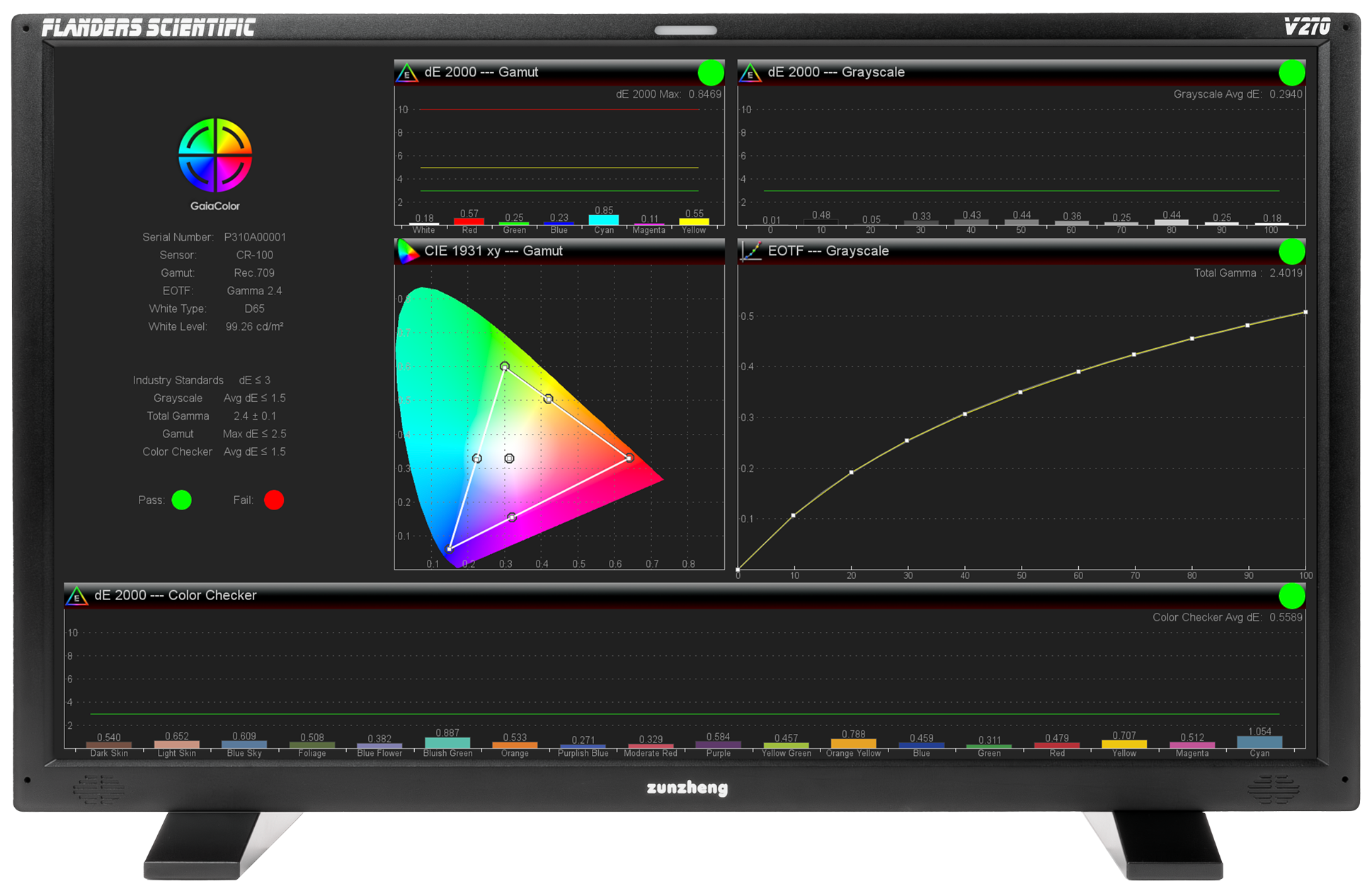
GaiaColor Analyzer is a fast, powerful calibration QC tool built into every V series monitor. Simply plug in a compatible probe, launch the analyzer, and in as little as 60 seconds you'll have a full QC report displayed directly on screen — no software, no computer, no hassle.
GaiaColor Analyzer automatically checks calibration against your current monitor configuration, meaning you can run accurate QC reports across thousands of potential configurations without any additional setup steps. The two most recent reports are automatically saved to monitor memory, so you can pull them up at any time. Moreover, if you'd like to export the report to a computer the free IP Remote Utility application lets you retrieve any saved report from monitor memory and export it as a PDF in seconds.
GaiaColor Analyzer is the perfect companion to GaiaColor AutoCal allowing you to confirm that your calibration results are on target, track performance over time, and know exactly when it's time to run a new AutoCal.
The QD-OLED Advantage
This is OLED without compromise.
XMP, XMP C, V, and V Series monitors are uniquely qualified for use as HDR Program Mastering Monitors, learn why in our Technical Overview PDF.
Advantages Over Other OLED Technologies
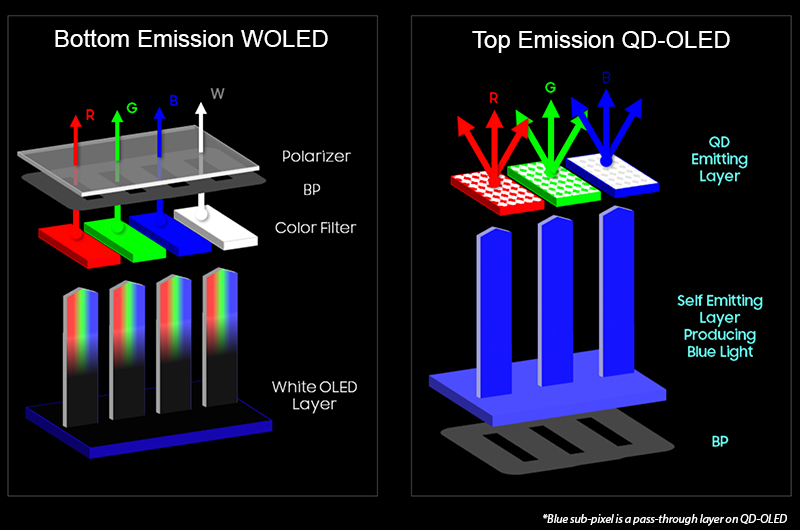
Other available OLED technologies are either too dim for HDR mastering or suffer from very significant volumetric collapse due to their non-additive RGB+W sub pixel structures making them unsuitable for HDR use cases that demand color accuracy. QD-OLED is truly RGB additive for white, thus avoiding color volume limitations.
Quiet Fanless Design
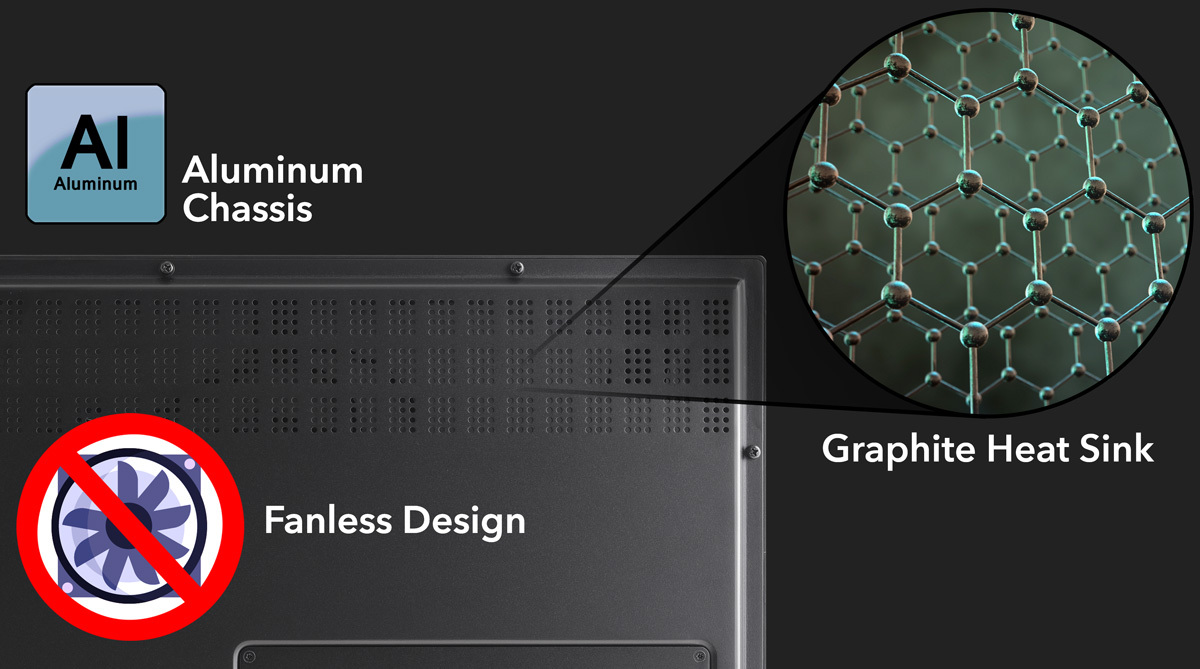
The V270 utilizes a combination of a graphite heat sink and all aluminum chassis to efficiently dissipate heat without relying on fans. Many consumer devices use a plastic chassis, which can act as an insulator trapping heat and impacting panel performance. An aluminum chassis not only provides increased strength and durability in professional installs, it also helps efficiently conduct heat away from the panel.
This fanless design provides users with both a quieter and lower maintenance HDR grading display.
Professional Connectivity
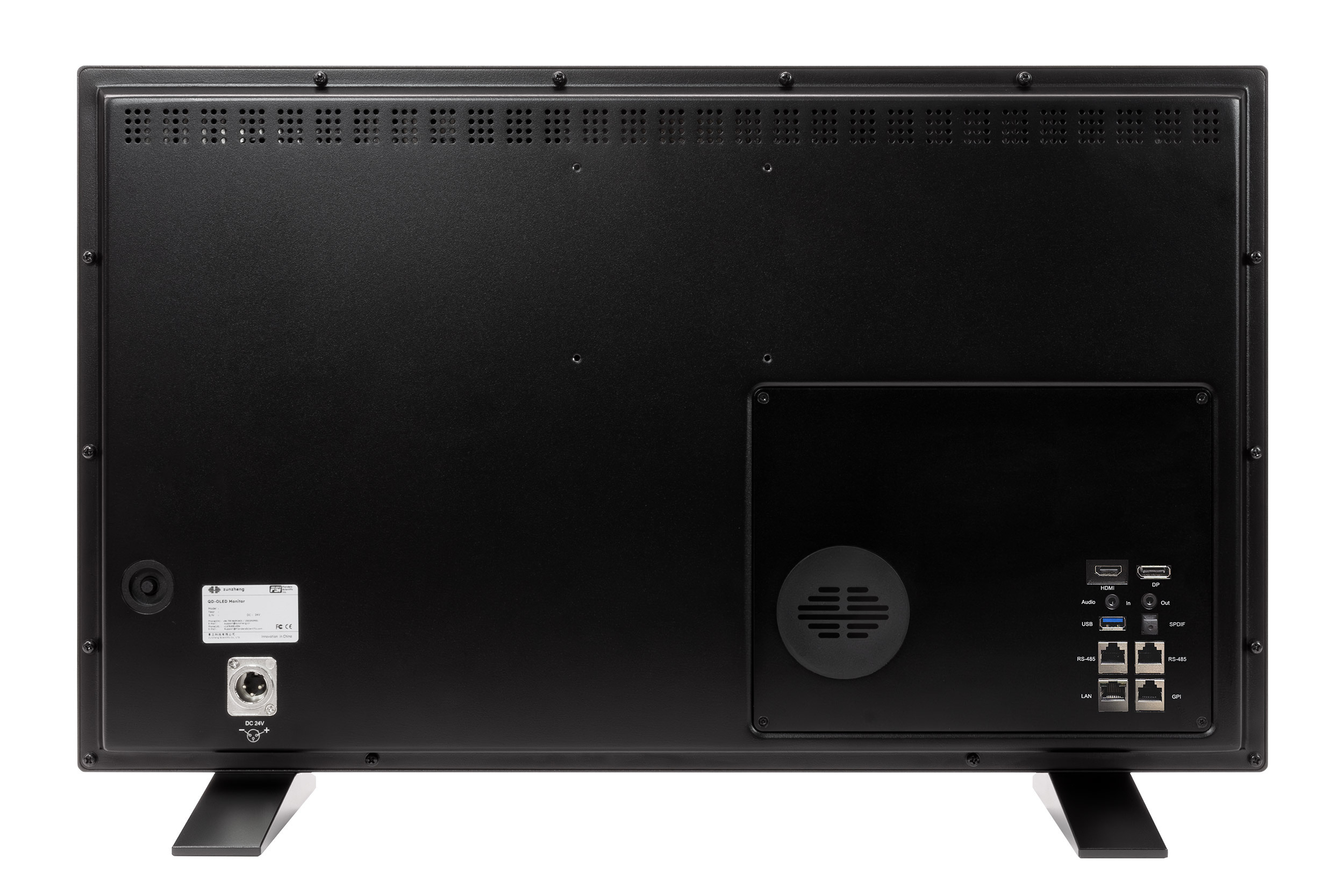
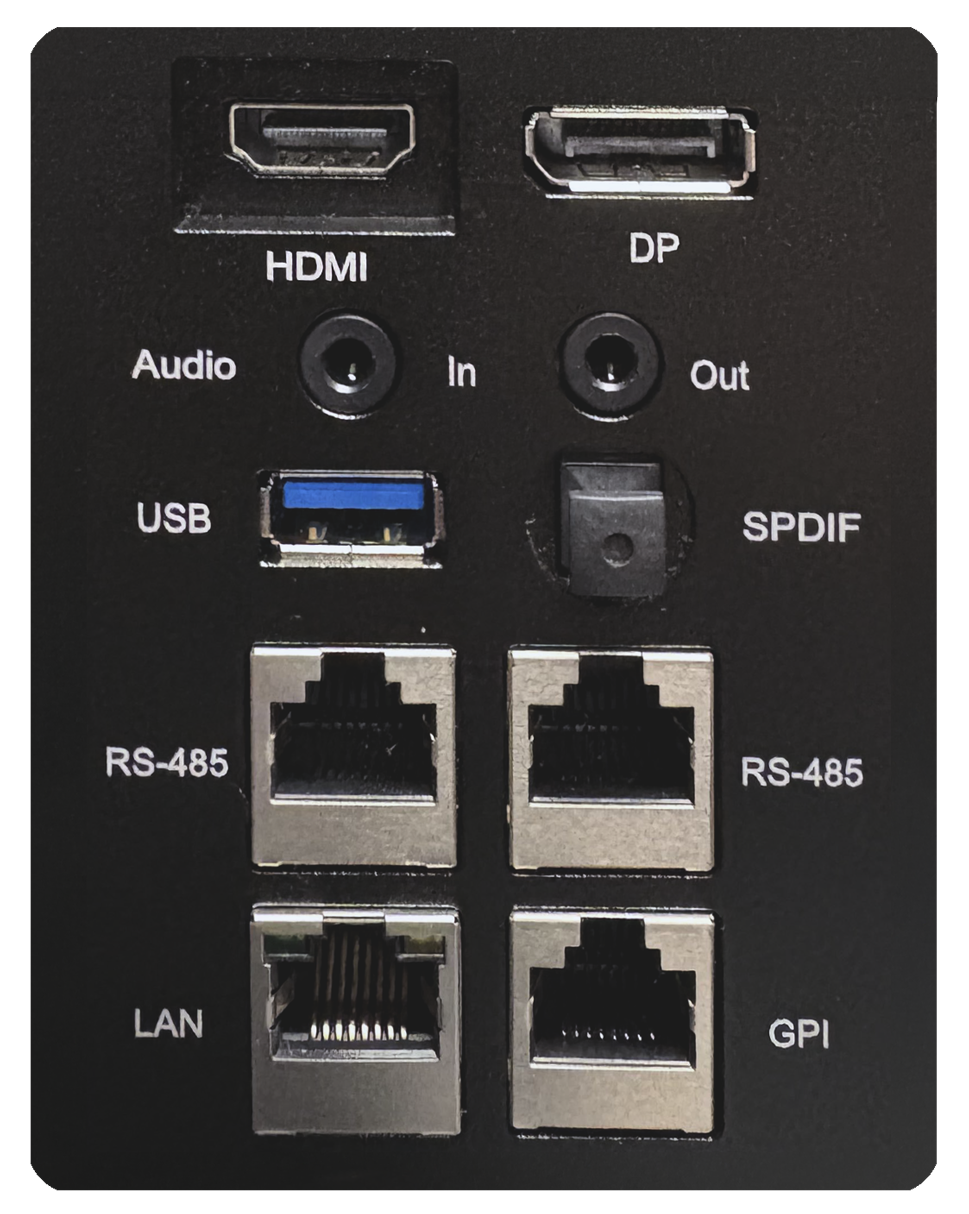
The V270 is equipped with DisplayPort 1.4 and HDMI 2.1 inputs with up to 120Hz signal support. Thanks to this high refresh rate capability the V270 also supports stereoscope 3D when paired with optional active 3D glasses.
The V270 also features audio output via a 3.5mm headphone jack and a optical S/PDIF port.
Remote Control
A variety of remote control options are available to suit different workflows and installation requirements.
Ethernet-Based Control (Free IP Remote Utility)
The free IP Remote Utility provides Ethernet-based remote control of Flanders Scientific monitors from a Mac or Windows PC. An iOS version is also available.
Remotely navigate menus, switch inputs, toggle functions, and control monitor settings.
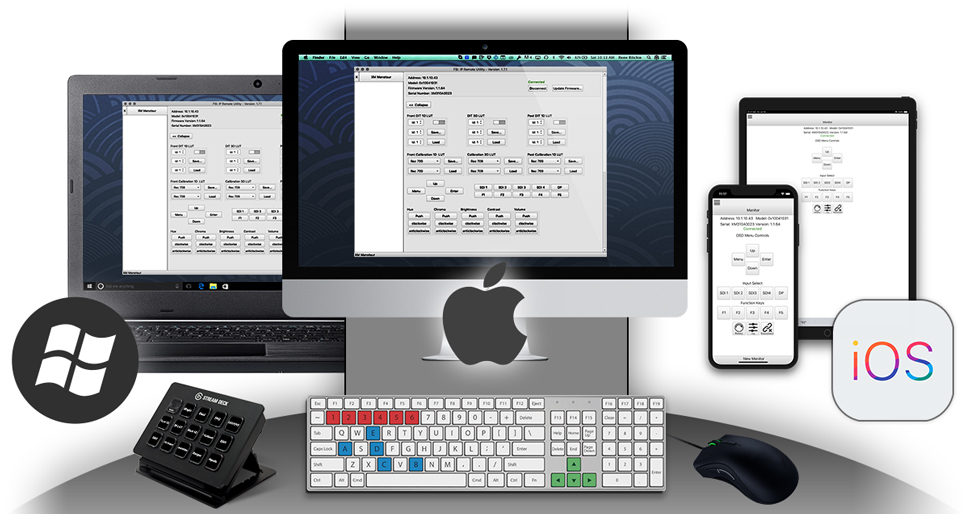
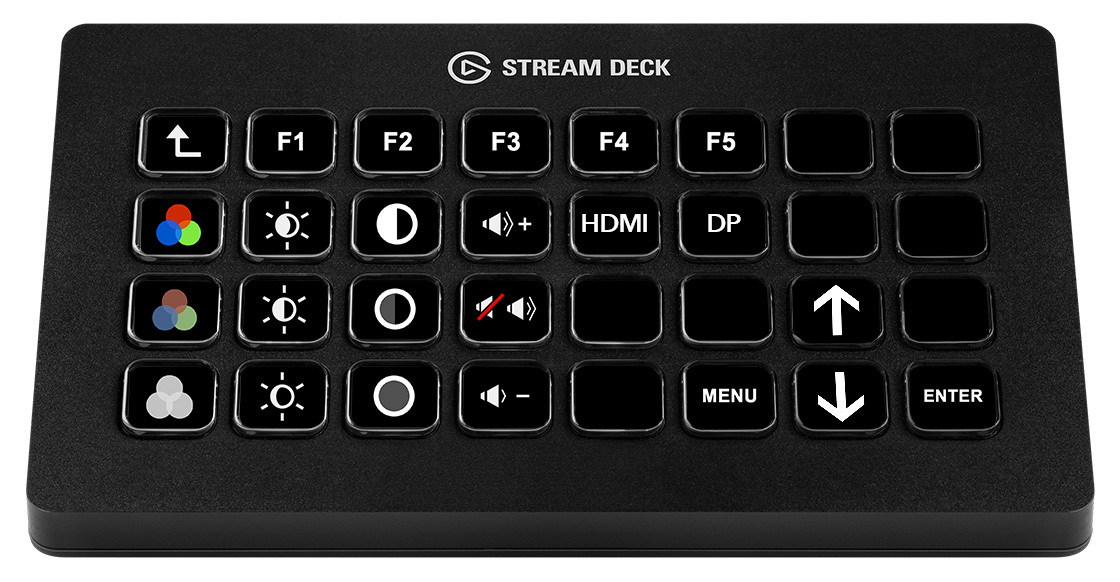
The utility can also be easily configured for use with an Elgato Stream Deck to trigger shortcuts.
Serial Remote Control (RS-485)
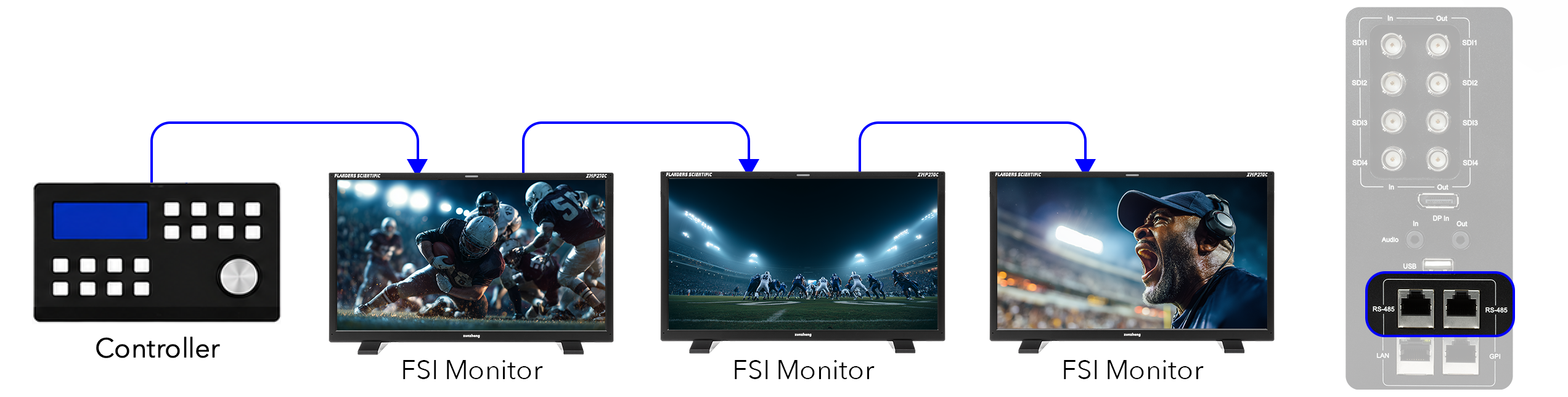
Ideal for broadcast facilities, post-production environments, and other professional installations. Our published RS-485 protocol enables straightforward integration with third-party serial control systems, providing access to menu navigation, input selection, function button activation, and monitor power on/off.
Optional Wireless Remote Control
The optional R-RS wireless remote control system provides convenient RF-based control of your monitor. The R-RS receiver module connects directly to the monitor's RS-485 control port, enabling full wireless operation with the paired handheld remote.
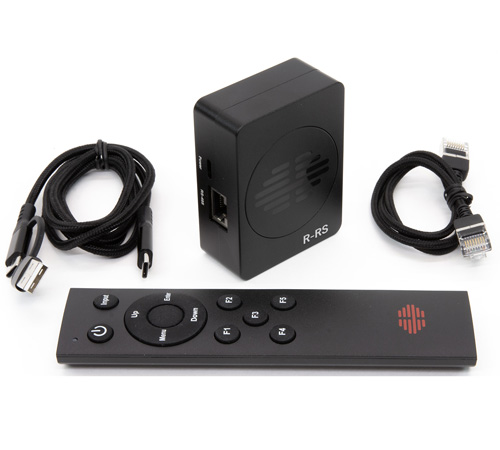
Supported functions include menu navigation, function button activation, input switching, and power on/off.
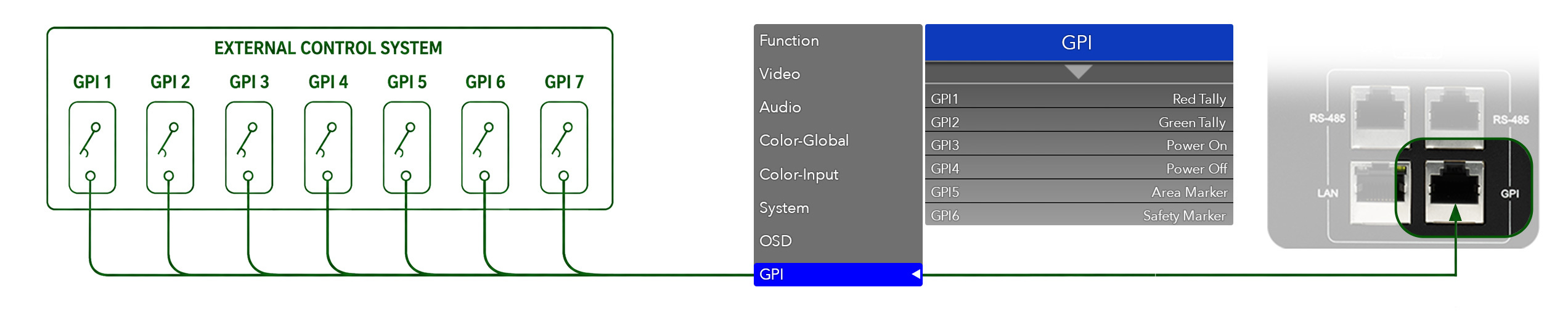
GPI Contact Closure
Configure up to seven assignable functions for GPI contact closure control through the monitor's GPI menu.
Available functions include power on/off, tally light activation, and other user-selectable monitor controls.
Quick Access Configurations
Quickly and easily save up to 5 custom configurations and switch between them with a single button press.
LUM Coloring (Customizable Exposure Check)
4 adjustment points from 0-100 percent allow you to establish specific target areas to be shown in false color or greyscale.
Native UHD Resolution
The V270 is a true UHD resolution monitor (3840x2160) that supports full screen viewing of HD and Ultra HD signals and will also accept 4K signals and scale them automatically to fit on screen while preserving native signal aspect ratio.
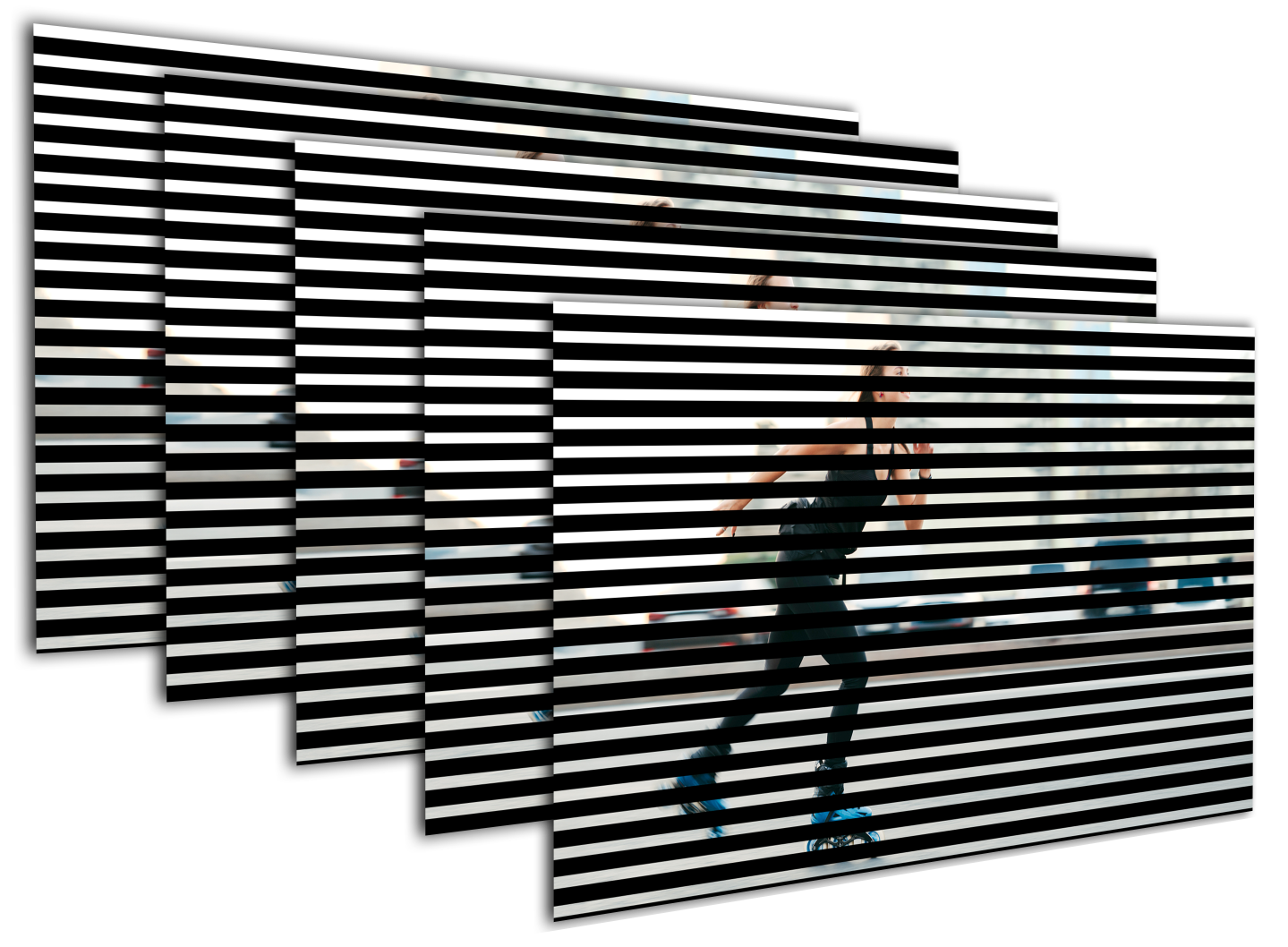
Interlaced Signal Monitoring
The V270 has the unique ability to replicate interlaced video accurately on screen making it ideal for spotting quality control concerns like field reversals. The V270's QD-OLED panel is also not susceptible to the fast onset TIR & after-image flicker that occurs on many IPS LCD panels when trying to simulate interlaced video accurately on screen.
Pairs well with