Skip to content
  • Facebook
  • Instagram
  • LinkedIn

Free shipping over $500!

Free U.S. shipping on most orders over $500!

Don't see it on the site? We can get it — e-mail us for a quote on the gear you need!

Competitive pricing with a focus on service and knowledge.

  • All Products
  • Shop by Category
  • Shop by Brand
Login
  • Facebook
  • Instagram
  • LinkedIn
Search
CineBitsCineBits full lockup, white ink with gold tagline, transparentCineBits full lockup, white ink with gold tagline, transparentCineBits full lockup, white ink with gold tagline, transparentCineBits full lockup, white ink with gold tagline, transparent
  • All ProductsAll Products
  • Shop by CategoryShop by Category
      • Rigging
      • Monitors
      • Video
      • Audio
      • Storage
      • Cables
      • Power
      • Lenses
      • Cameras
      • Transport
      • Lighting
  • Shop by BrandShop by Brand
Search Login Cart 0
Cart

Your cart is currently empty.

  • Continue shopping
Spend $500.00 more to reach free shipping!
    Order special instructions
    Estimate shipping
    Discount
      Taxes and shipping calculated at checkout
      Subtotal
      $0.00 USD
      View cart
      Recently viewed
      Search

      We use cookies

      This site uses cookies for better user experience and analytics. View our privacy policy for more info.

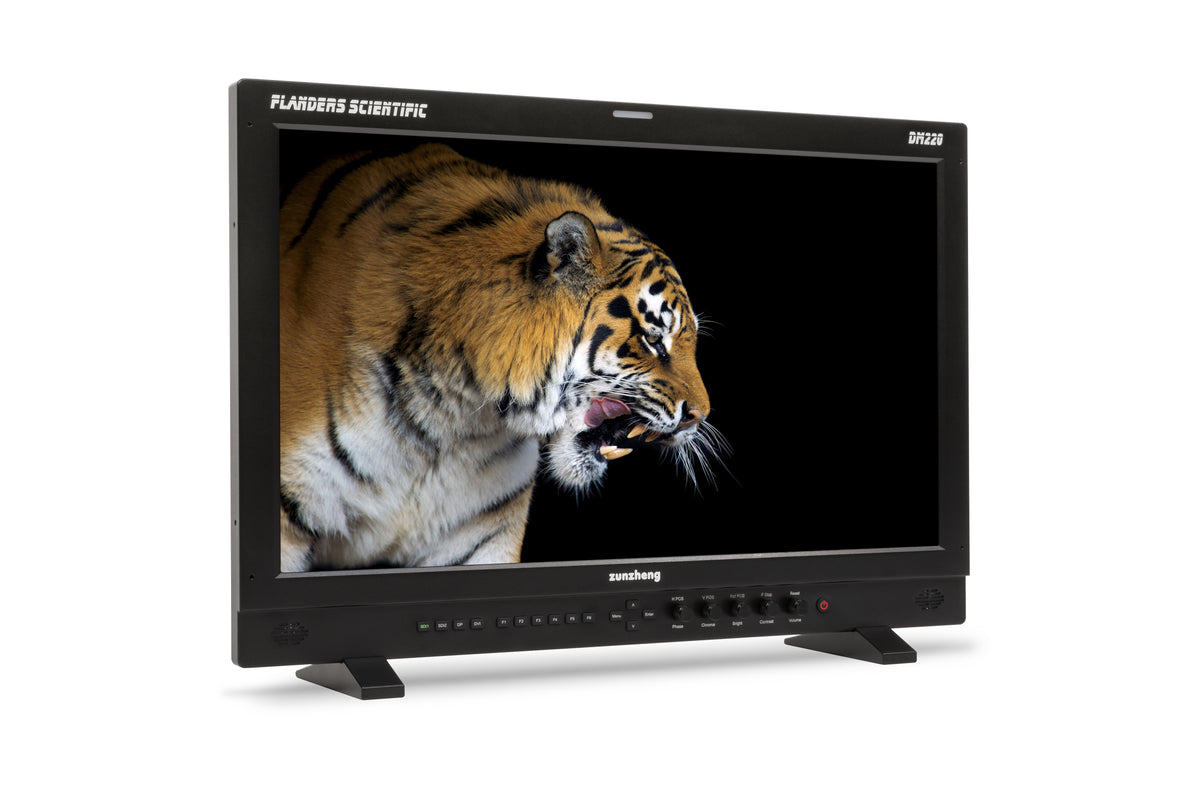
      Flanders Scientific DM220 22" 1920x1080 OLED Monitor
      Flanders Scientific DM220 22" 1920x1080 OLED Monitor
      Flanders Scientific DM220 22" 1920x1080 OLED Monitor

      Reference Grade OLED Monitoring from Production to Post

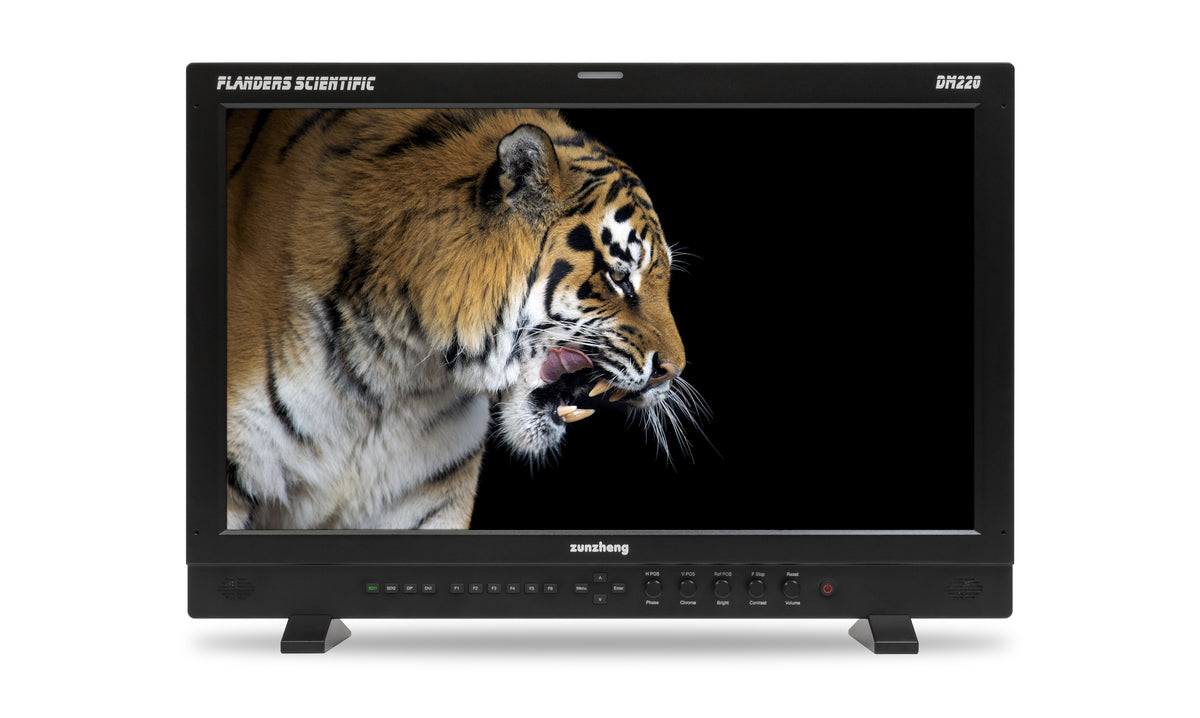
      The DM220 is a high-contrast 22" OLED monitor designed for use in color critical production and post-production applications. Industry leading fast mode processing, a durable all metal chassis, our most advanced feature set, and a compact and lightweight form-factor make the DM220 an exceptional reference grade monitoring solution for any environment.

      Color Management

      FSI's 3rd generation Color Fidelity and LUT Interpolation Engine (CFE3) houses a multitude of calibration and Look LUT memories for highly accurate color reproduction and effective look management. Instantly select from Rec709, EBU, SMPTE-C, DCI P3, Rec2020 Emulation*, Native Wide Gamut, and Custom User Generated color spaces.

      *Does not fully cover Rec2020 color space.

      Additional gamma, peak luminance, and color temperature toggles further add to the versatility of DM Series Monitors.

      DM series monitors support video range, extended range, and full range monitoring with simple menu based toggles.

      CFE3 features industry leading tetrahedral LUT interpolation for greater accuracy and visual performance than hardware utilizing trilinear LUT interpolation.

      Calibration
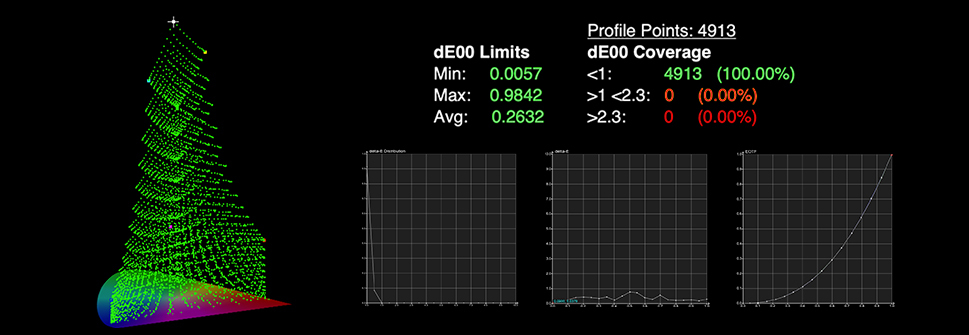
      FSI monitors come pre-calibrated from the factory and all DM series monitors support highly accurate volumetric Auto Calibration for recalibration over time.

      Simply plug a supported probe directly into the monitor and the advanced AutoCal routine will profile the monitor and use volumetric data to accurately target a very wide variety of available color management selections. 3D and 1D LUTs are calculated and saved on the fly as color management selections on the monitor are made, making for one simple and unified calibration process, all without requiring a computer.

      How well does it work?

      See sample DM220 AutoCal results here (.PDF).
      dm220-ac.jpg

      Software Integration
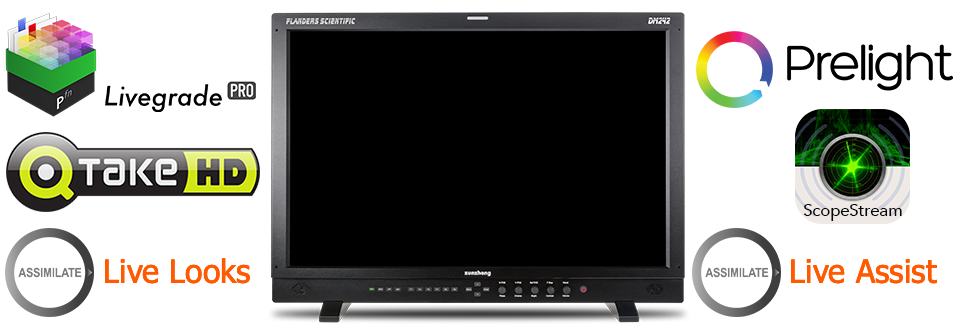
      Powerful DM series features are supported by select applications including FSI's DM Series IP Remote Utility, Pomfort's Livegrade Pro, QTake's Grade Module, and Assimilate Live Assist and Live Looks.
      Look / DIT LUTs
      Upload and store up to 16 3D Look / DIT LUTs and instantly toggle between them using the up and down buttons.

      Second Screen Output
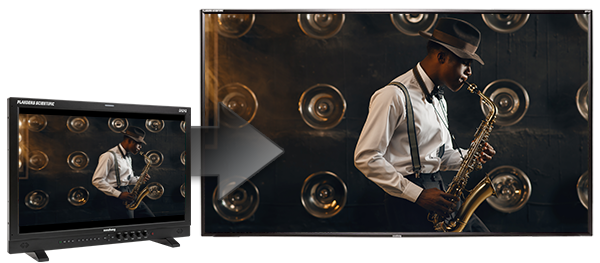
      Mirror what you see on screen to downstream equipment. Apply LUTs on DM Series monitors and other downstream monitors simultaneously.

      Second screen outputs work in addition to standard loop through outputs allowing you to simultaneously output clean and manipulated images.
      Zero Delay Fast Mode
      Zero Delay Fast Mode makes DM Series monitors an ideal choice for applications requiring instantaneous video processing speed in on-set, studio, and post environments.

      When activated, the total latency between receipt of signal and onscreen display is less than 1 field.

      See what functions are available with Fast Mode enabled.

      Image Flip
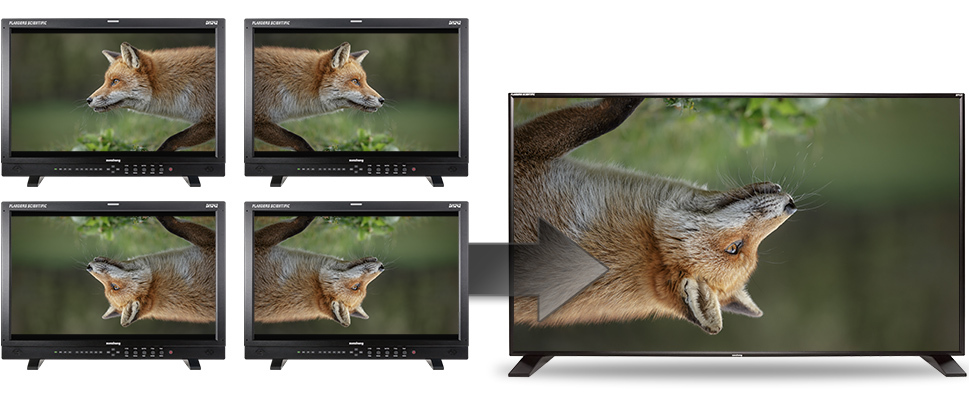
      DM Series monitors are capable of multiple Image Flip modes. You can quickly toggle through available modes including: Vertical, Horizontal, and Vertical + Horizontal.

      Image Flip works on all inputs and is mirrored downstream via second screen output.
      Cross Conversion
      DM Series monitors come equipped with cross conversion capability. This allows you take DisplayPort / HDMI / DVI signals and convert them to SDI for output.

      3rd Generation Focus Assist

      When activated this feature will highlight in focus areas with a trace color. The sensitivity of the focus assist feature can be adjusted using the H POS rotary knob. The weight (transparency) of the focus assist feature can be adjusted using the V POS Rotary knob. The color of the focus assist trace can be adjusted using the REF POS rotary knob. Select from White, Black, Red, Green, Yellow, Blue, Magenta, and Cyan.

      Advanced Real Time Waveform & Vectorscope

      DM Series Monitors have Real Time Waveform and Vectorscope that update every frame. Scope position, background, size, and scale can be adjusted independently using the rotary knobs on the face of the monitor. Real Time scopes work in all processing modes including Zero Delay Fast Mode.

      Video Scopes

      In addition to Real Time Scopes a wide variety of additional scopes and meters are available. Display up to two scopes on screen at a time. Scopes can be positioned in any of 6 on-screen positions. When using two scopes the scope windows can be stacked horizontally or vertically depending on your preference. Video scopes work across all inputs, even DVI.

      Audio Meters

      This monitor features several audio metering tools as well as the ability to disembed any single channel or stereo pair of audio to the monitor's internal speakers or audio line out. Disembedded audio is always delayed by the exact amount of video processing time to ensure proper lip-sync.

      Horizontal Audio Level Meters

      Display 2, 8, or 16 channels of audio arranged in audio groups or stereo pairs with real-time numerical display of dB levels per channel. Meters feature adjustable Alignment Level, Permitted Max Level, and Peak Hold Time. Select between True Peak, PPM Type I, or PPM Type II ballistics. Meters will indicate NO DATA if an audio group is not embedded in the signal to differentiate it from audio channels that may be mute, but still embedded.

      CIE Scope
      A dedicated function that maps full frame signal data onto your choice of CIE1931 x,y or CIE1976 u',v' diagrams. Signal information is shown relative to your active color space and can be compared to a selectable secondary color gamut.

      8 & 10bit Measurement

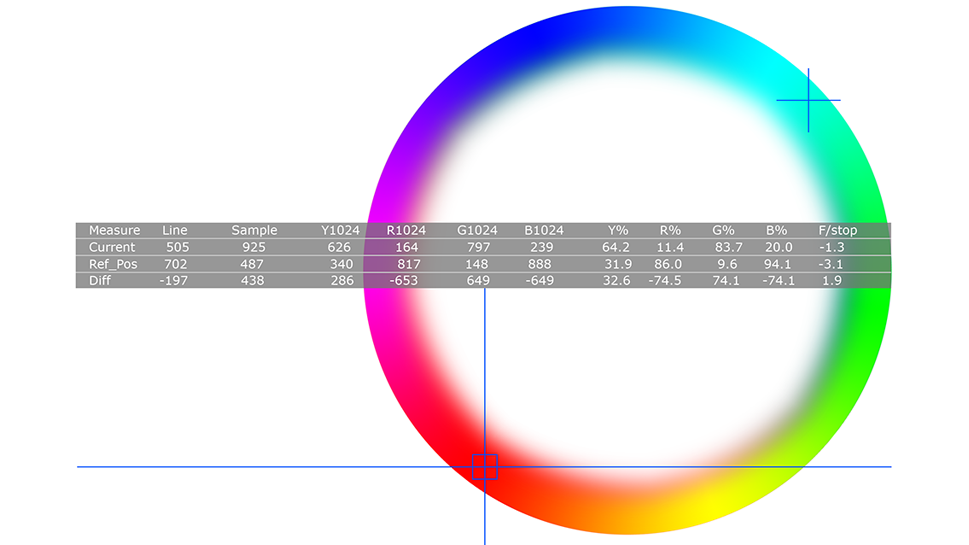
      Get precise real-time YRGB measurements, both as a percentage and 8 or 10bit data values, of any point or sample area within your incoming signal. Set a spatial and temporal reference and compare with any other point to quantify the difference in values between any two points. Also quantify the difference in points as an F/stop value.
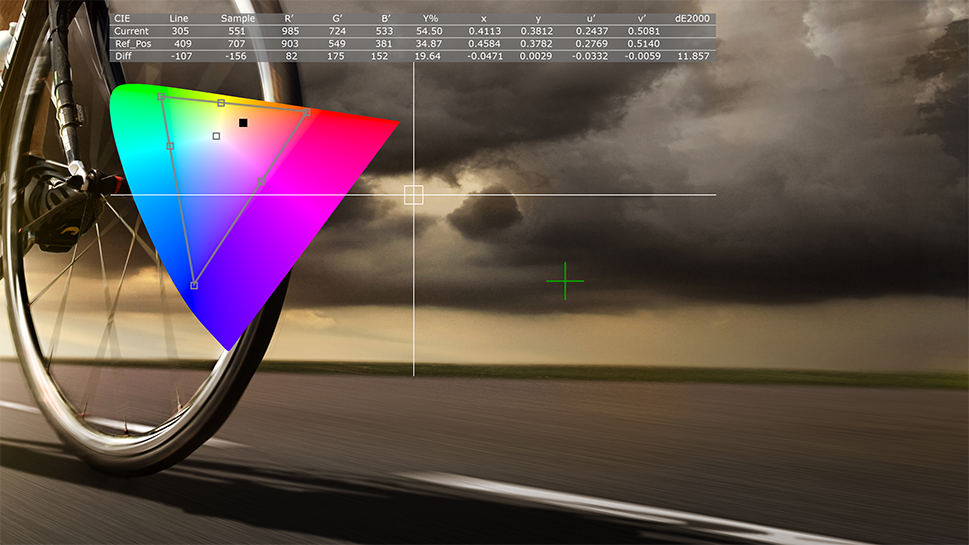
      CIE Measurement

      Visualize any point or sample area within your incoming signal on your choice of CIE 1931 x,y or CIE1976 u',v' diagrams. Values are shown relative to your current operating color space and regardless of diagram mode R',G',B', Y%, x,y,u',v' values are reported at all times. As with the standard measurement mode a reference position can be selected and compared to any other position. The difference between current and reference positions is also quantified with a dE2000 value.
      Video Data Analyzer
      Provides real-time readout of video data at the pixel level in your choice of decimal or hexadecimal values. Can show pixel level information as YCbCr or RGB as well as 8bit or 10bit.

      This feature can be used in combination with the H/V delay mode for horizontal and vertical blanking data analysis.

      Markers
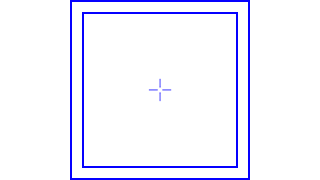
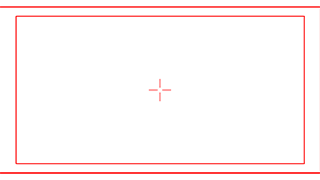
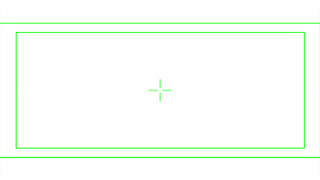
      Choose from a wide assortment of standard markers and safety areas that can be displayed as lines, translucent overlays, or solid overlays. Lines and overlays have selectable colors for instant customization.

      Don't see the marker you need here? Send it to us as a 1920x1080 .bmp file and we can add it in a future firmware update.
      1:1
      1.85:1
      2.4:1
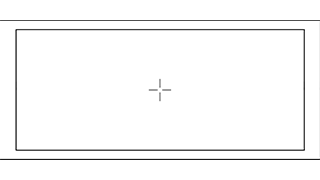
      2.35:1
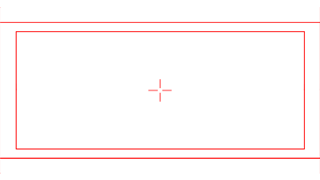
      2.39:1
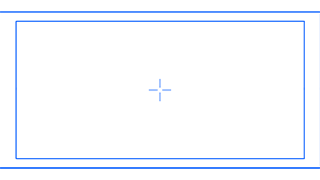
      2:1
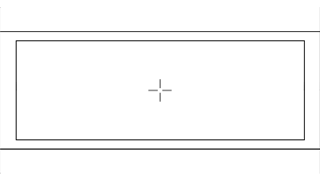
      3.125:1
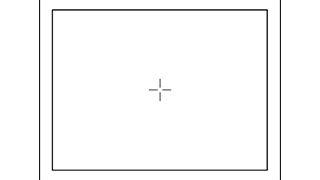
      4:3
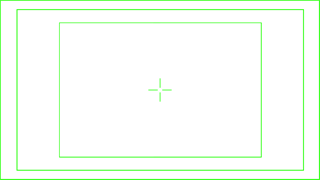
      4x3 CC
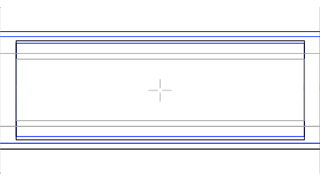
      6.25:1
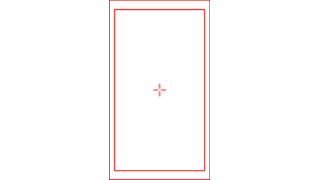
      9:16
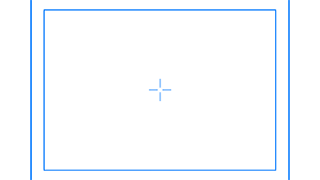
      13:9
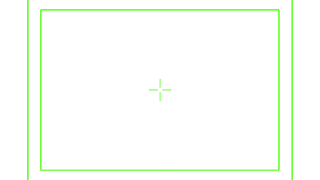
      14:9
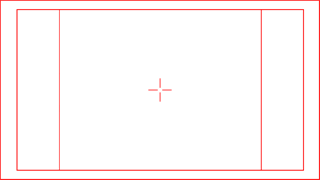
      14:9 CS
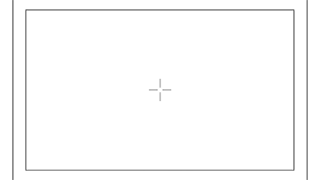
      15:9
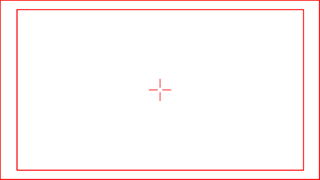
      16:9
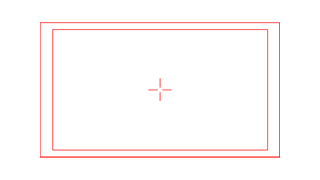
      16:9 in 4:3
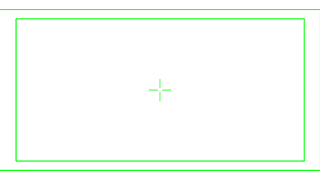
      17:9
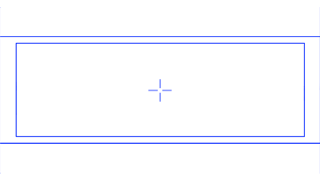
      32:9
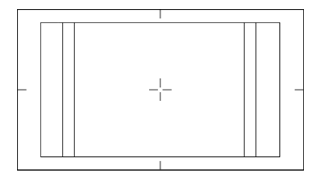
      ADOBE
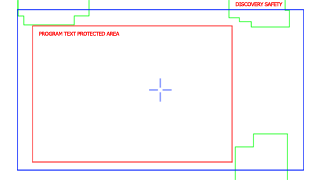
      DISCOVERY
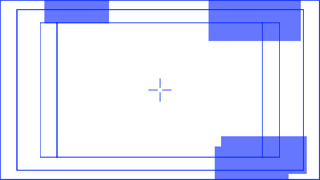
      DISCOVERY V2
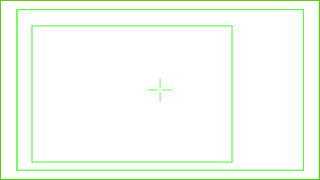
      DISCOVERY V3
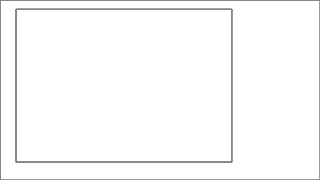
      DISCOVERY V5
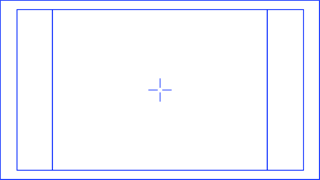
      4x3 DPP
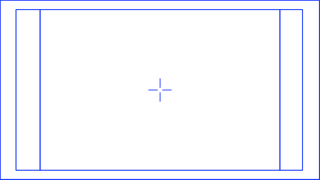
      16x9 DPP
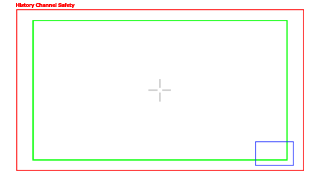
      HISTORY
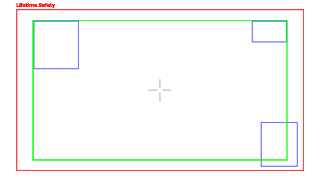
      LIFETIME
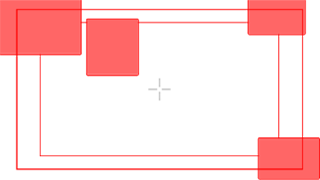
      NATGEO
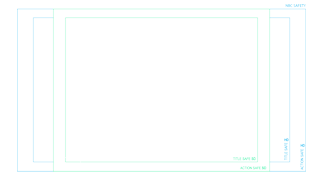
      NBC 2016
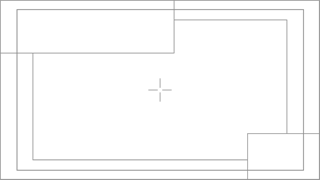
      OUTDOOR
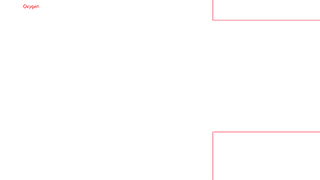
      OXYGEN
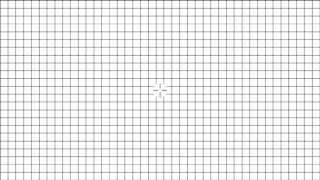
      SYMMETRY GRID
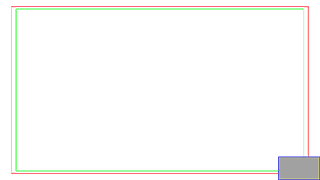
      TELE QUEBEC
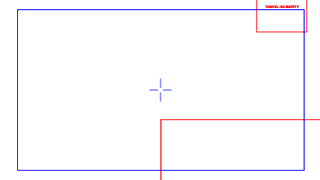
      TRAVEL
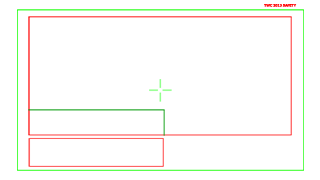
      TWC 2013
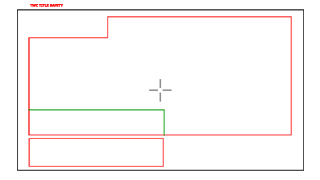
      TWC 2014
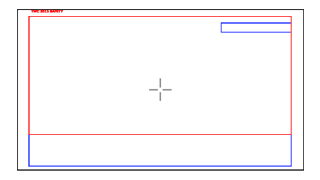
      TWC 2015
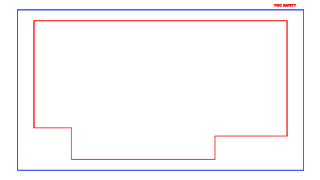
      TWC SAFETY
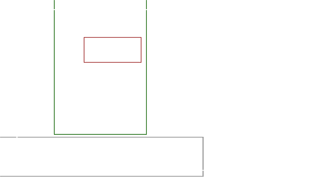
      VFRAME L
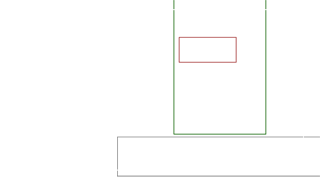
      VFRAME R
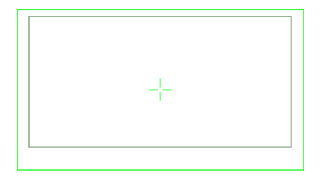
      WEATHER
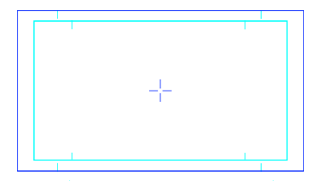
      WS

      Live Side-By-Side Monitoring
      FSI's unique live side-by-side monitoring feature allows for mixed formats, mixed frame rates, and even mixed input types to be viewed together in PAP, PIP, or POP configurations.

      Split-Screen Viewing
      Horizontal and vertical split-screen viewing with adjustable split positioning is also possible with two sources that share the same resolution and frame-rate.


      Source 2

      Source 1

      Source 1Source 2

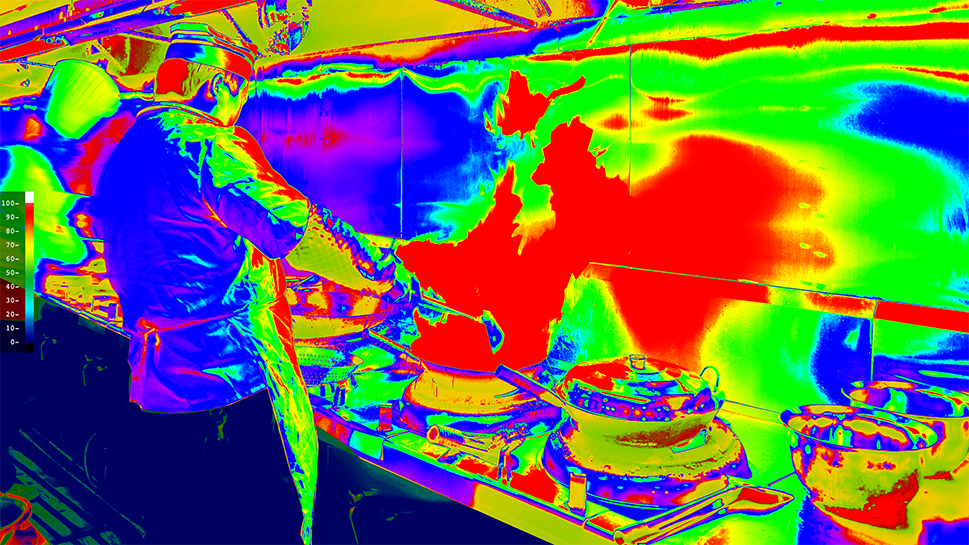
      Lum Coloring (Adjustable Exposure Check)
      Adjustable false color display of luminance values. 4 adjustment points allowing you to establish specific target areas to be shown in false color or greyscale.
      Timecode
      Size and position adjustable onscreen display of VITC1, VITC2, or LTC timecode pulled from SDI signals.

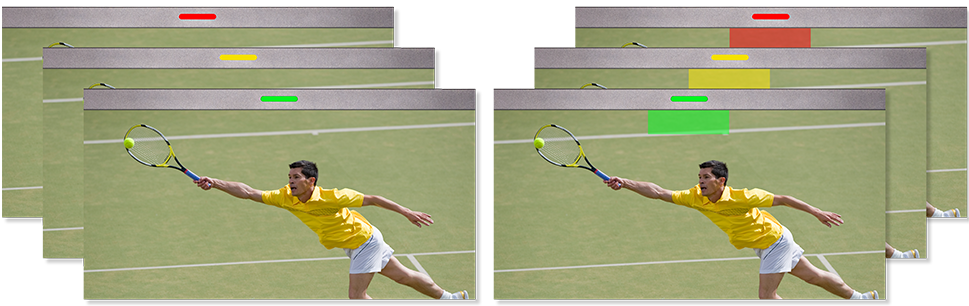
      Tally Lights & Record Status Tally
      Tally Light or on-screen indication of camera record flag status pulled from SDI ancillary data. Lets you know when your camera is recording without needing additional equipment.

      *Not compatible with all cameras. Camera must output recognized SDI flag. AM420 and AM550 have on-screen tally only.
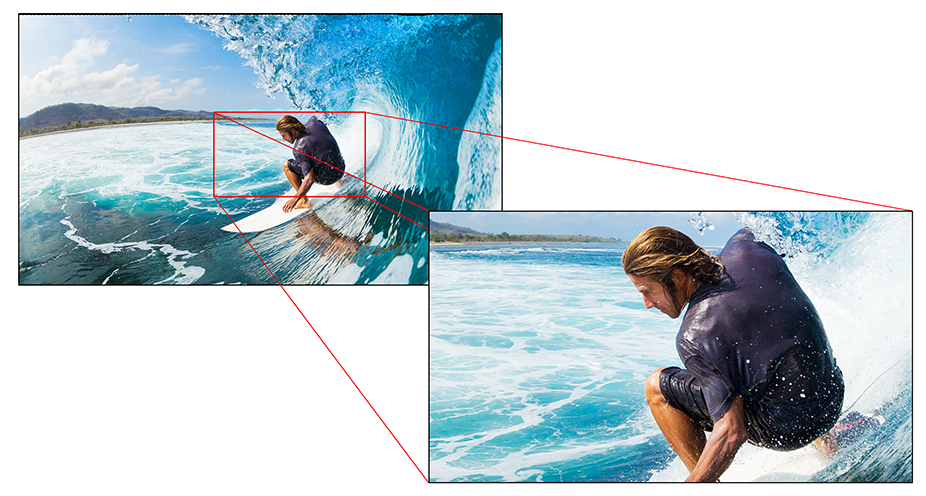
      Pixel Zoom
      For HD signals. Allows for highly adjustable artifact free zoom on any section of the image.
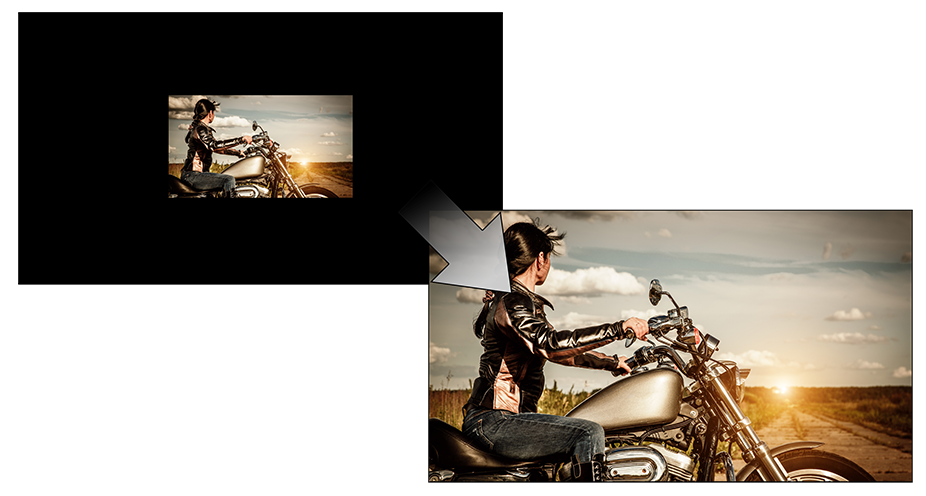
      Zoom
      For letterboxed SD content. Zooms in while preserving aspect ratio so that a 16:9 portion of the SD image is scaled full screen.
      Pixel Mapping

      Allows for 1:1 and 2:1 pixel mapping of sources when their resolution is different than the native resolution of the panel. This feature is also capable of scaling 2K signals to fit or be shown 1:1 with the ability to move left to right so any portion of the 2K image can be shown 1:1.

      SD Aspect Ratio & PAL SD FHA
      Allows users to toggle from 4:3 to anamorphic display of SD signals. Can be combined with the pixel mapping feature for proper display of PAL SD FHA signals.
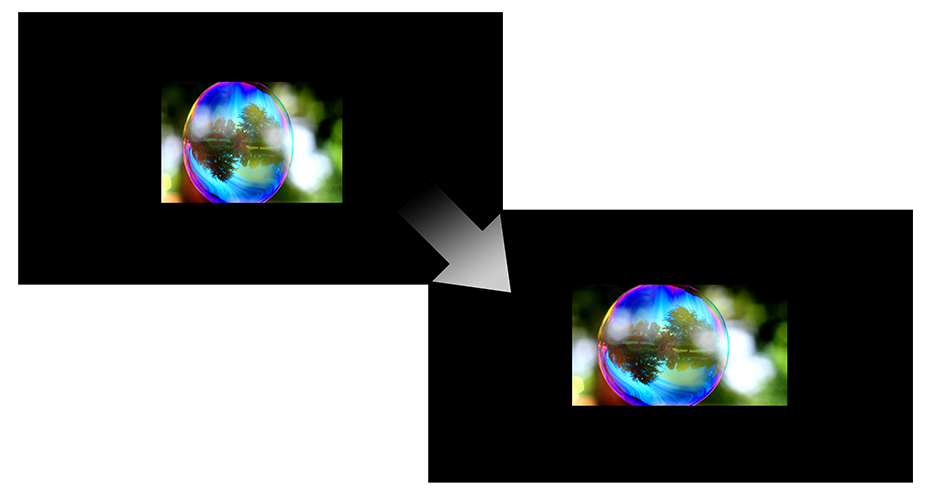
      HDR Preview
      These monitoring modes, while not intended for HDR mastering, provide a simple and cost effective way to preview HDR in production environments and quality control applications.

      • HLG (Hybrid Log Gamma).
      • ST2084 clipping at approximately 300nits.
      • ST2084 with a soft roll. This setting allows operators to visually distinguish all code values present in a PQ signal.

      A guide on using HDR Preview modes is available .
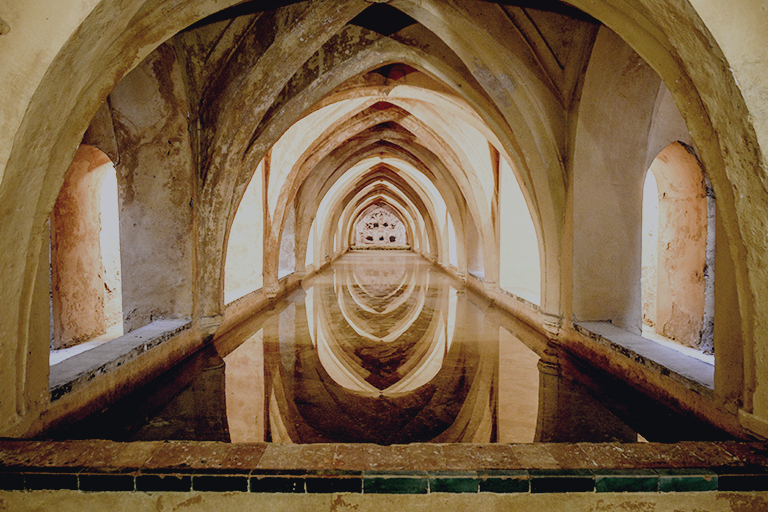
      SDR

      HDR Preview

      HDR PreviewSDR

      3D Disparity
      A disparity view highlighting the difference between SDI1 and SDI2 inputs. Sources must be the same frame rate, resolution, and genlocked.

      • Collections
      • Holiday Sale
      • Production

      Vendor: Flanders Scientific Flanders Scientific

      Flanders Scientific DM220 22" 1920x1080 OLED Monitor

      $6,500.00

      SKU DM220

      Special order: non-cancelable, non-returnable

      Full manufacturer warranties on everything we sell
      Questions? Talk to a specialist — Mon–Fri 8:30–5 ET

      Reference Grade OLED Monitoring from Production to Post

      The DM220 is a high-contrast 22" OLED monitor designed for use in color critical production and post-production applications. Industry leading fast mode processing, a durable all metal chassis, our most advanced feature set, and a compact and lightweight form-factor make the DM220 an exceptional reference grade monitoring solution for any environment.

      Color Management

      FSI's 3rd generation Color Fidelity and LUT Interpolation Engine (CFE3) houses a multitude of calibration and Look LUT memories for highly accurate color reproduction and effective look management. Instantly select from Rec709, EBU, SMPTE-C, DCI P3, Rec2020 Emulation*, Native Wide Gamut, and Custom User Generated color spaces.

      *Does not fully cover Rec2020 color space.

      Additional gamma, peak luminance, and color temperature toggles further add to the versatility of DM Series Monitors.

      DM series monitors support video range, extended range, and full range monitoring with simple menu based toggles.

      CFE3 features industry leading tetrahedral LUT interpolation for greater accuracy and visual performance than hardware utilizing trilinear LUT interpolation.

      Calibration
      FSI monitors come pre-calibrated from the factory and all DM series monitors support highly accurate volumetric Auto Calibration for recalibration over time.

      Simply plug a supported probe directly into the monitor and the advanced AutoCal routine will profile the monitor and use volumetric data to accurately target a very wide variety of available color management selections. 3D and 1D LUTs are calculated and saved on the fly as color management selections on the monitor are made, making for one simple and unified calibration process, all without requiring a computer.

      How well does it work?

      See sample DM220 AutoCal results here (.PDF).

      dm220-ac.jpg

      Software Integration
      Powerful DM series features are supported by select applications including FSI's DM Series IP Remote Utility, Pomfort's Livegrade Pro, QTake's Grade Module, and Assimilate Live Assist and Live Looks.

      Look / DIT LUTs
      Upload and store up to 16 3D Look / DIT LUTs and instantly toggle between them using the up and down buttons.

      Second Screen Output
      Mirror what you see on screen to downstream equipment. Apply LUTs on DM Series monitors and other downstream monitors simultaneously.

      Second screen outputs work in addition to standard loop through outputs allowing you to simultaneously output clean and manipulated images.

      Zero Delay Fast Mode

      Zero Delay Fast Mode makes DM Series monitors an ideal choice for applications requiring instantaneous video processing speed in on-set, studio, and post environments.

      When activated, the total latency between receipt of signal and onscreen display is less than 1 field.

      See what functions are available with Fast Mode enabled.

      Image Flip
      DM Series monitors are capable of multiple Image Flip modes. You can quickly toggle through available modes including: Vertical, Horizontal, and Vertical + Horizontal.

      Image Flip works on all inputs and is mirrored downstream via second screen output.

      Cross Conversion
      DM Series monitors come equipped with cross conversion capability. This allows you take DisplayPort / HDMI / DVI signals and convert them to SDI for output.

      3rd Generation Focus Assist

      When activated this feature will highlight in focus areas with a trace color. The sensitivity of the focus assist feature can be adjusted using the H POS rotary knob. The weight (transparency) of the focus assist feature can be adjusted using the V POS Rotary knob. The color of the focus assist trace can be adjusted using the REF POS rotary knob. Select from White, Black, Red, Green, Yellow, Blue, Magenta, and Cyan.

      Advanced Real Time Waveform & Vectorscope

      DM Series Monitors have Real Time Waveform and Vectorscope that update every frame. Scope position, background, size, and scale can be adjusted independently using the rotary knobs on the face of the monitor. Real Time scopes work in all processing modes including Zero Delay Fast Mode.

      Video Scopes

      In addition to Real Time Scopes a wide variety of additional scopes and meters are available. Display up to two scopes on screen at a time. Scopes can be positioned in any of 6 on-screen positions. When using two scopes the scope windows can be stacked horizontally or vertically depending on your preference. Video scopes work across all inputs, even DVI.

      Audio Meters

      This monitor features several audio metering tools as well as the ability to disembed any single channel or stereo pair of audio to the monitor's internal speakers or audio line out. Disembedded audio is always delayed by the exact amount of video processing time to ensure proper lip-sync.

      Horizontal Audio Level Meters

      Display 2, 8, or 16 channels of audio arranged in audio groups or stereo pairs with real-time numerical display of dB levels per channel. Meters feature adjustable Alignment Level, Permitted Max Level, and Peak Hold Time. Select between True Peak, PPM Type I, or PPM Type II ballistics. Meters will indicate NO DATA if an audio group is not embedded in the signal to differentiate it from audio channels that may be mute, but still embedded.

      CIE Scope
      A dedicated function that maps full frame signal data onto your choice of CIE1931 x,y or CIE1976 u',v' diagrams. Signal information is shown relative to your active color space and can be compared to a selectable secondary color gamut.

      8 & 10bit Measurement

      Get precise real-time YRGB measurements, both as a percentage and 8 or 10bit data values, of any point or sample area within your incoming signal. Set a spatial and temporal reference and compare with any other point to quantify the difference in values between any two points. Also quantify the difference in points as an F/stop value.

      CIE Measurement

      Visualize any point or sample area within your incoming signal on your choice of CIE 1931 x,y or CIE1976 u',v' diagrams. Values are shown relative to your current operating color space and regardless of diagram mode R',G',B', Y%, x,y,u',v' values are reported at all times. As with the standard measurement mode a reference position can be selected and compared to any other position. The difference between current and reference positions is also quantified with a dE2000 value.

      Video Data Analyzer
      Provides real-time readout of video data at the pixel level in your choice of decimal or hexadecimal values. Can show pixel level information as YCbCr or RGB as well as 8bit or 10bit.

      This feature can be used in combination with the H/V delay mode for horizontal and vertical blanking data analysis.

      Markers
      Choose from a wide assortment of standard markers and safety areas that can be displayed as lines, translucent overlays, or solid overlays. Lines and overlays have selectable colors for instant customization.

      Don't see the marker you need here? Send it to us as a 1920x1080 .bmp file and we can add it in a future firmware update.

      1:1

      1.85:1

      2.4:1

      2.35:1

      2.39:1

      2:1

      3.125:1

      4:3

      4x3 CC

      6.25:1

      9:16

      13:9

      14:9

      14:9 CS

      15:9

      16:9

      16:9 in 4:3

      17:9

      32:9

      ADOBE

      DISCOVERY

      DISCOVERY V2

      DISCOVERY V3

      DISCOVERY V5

      4x3 DPP

      16x9 DPP

      HISTORY

      LIFETIME

      NATGEO

      NBC 2016

      OUTDOOR

      OXYGEN

      SYMMETRY GRID

      TELE QUEBEC

      TRAVEL

      TWC 2013

      TWC 2014

      TWC 2015

      TWC SAFETY

      VFRAME L

      VFRAME R

      WEATHER

      WS

      Live Side-By-Side Monitoring
      FSI's unique live side-by-side monitoring feature allows for mixed formats, mixed frame rates, and even mixed input types to be viewed together in PAP, PIP, or POP configurations.

      Split-Screen Viewing
      Horizontal and vertical split-screen viewing with adjustable split positioning is also possible with two sources that share the same resolution and frame-rate.

      Source 2

      Source 1

      Source 1Source 2

      Lum Coloring (Adjustable Exposure Check)
      Adjustable false color display of luminance values. 4 adjustment points allowing you to establish specific target areas to be shown in false color or greyscale.

      Timecode
      Size and position adjustable onscreen display of VITC1, VITC2, or LTC timecode pulled from SDI signals.

      Tally Lights & Record Status Tally
      Tally Light or on-screen indication of camera record flag status pulled from SDI ancillary data. Lets you know when your camera is recording without needing additional equipment.

      *Not compatible with all cameras. Camera must output recognized SDI flag. AM420 and AM550 have on-screen tally only.

      Pixel Zoom
      For HD signals. Allows for highly adjustable artifact free zoom on any section of the image.

      Zoom
      For letterboxed SD content. Zooms in while preserving aspect ratio so that a 16:9 portion of the SD image is scaled full screen.

      Pixel Mapping

      Allows for 1:1 and 2:1 pixel mapping of sources when their resolution is different than the native resolution of the panel. This feature is also capable of scaling 2K signals to fit or be shown 1:1 with the ability to move left to right so any portion of the 2K image can be shown 1:1.

      SD Aspect Ratio & PAL SD FHA
      Allows users to toggle from 4:3 to anamorphic display of SD signals. Can be combined with the pixel mapping feature for proper display of PAL SD FHA signals.

      HDR Preview
      These monitoring modes, while not intended for HDR mastering, provide a simple and cost effective way to preview HDR in production environments and quality control applications.

      • HLG (Hybrid Log Gamma).
      • ST2084 clipping at approximately 300nits.
      • ST2084 with a soft roll. This setting allows operators to visually distinguish all code values present in a PQ signal.

      A guide on using HDR Preview modes is available .
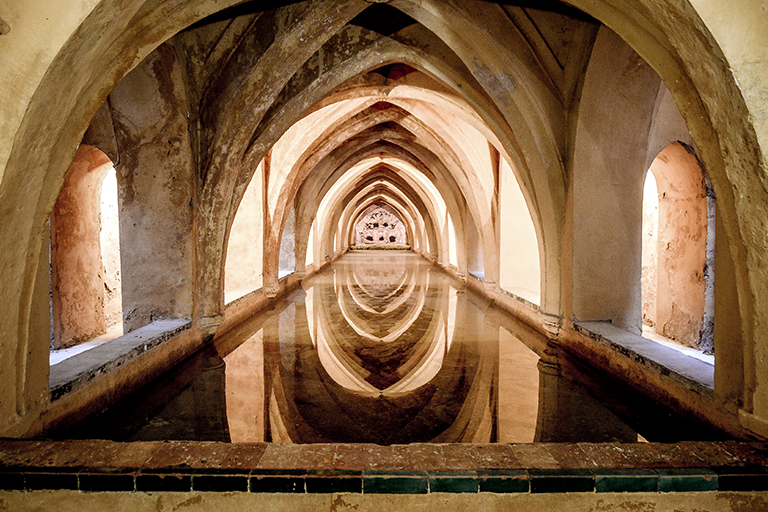
      SDR

      HDR Preview

      HDR PreviewSDR

      3D Disparity
      A disparity view highlighting the difference between SDI1 and SDI2 inputs. Sources must be the same frame rate, resolution, and genlocked.

      Pairs well with

      CineBits internal — do not follow

      We know the gear

      Two decades each on set and in the field — real workflow expertise, not a call center.

      Fast, free shipping

      Free U.S. shipping on most orders over $500. In-stock orders ship same day.

      Real human support

      Talk to specialists who actually use this equipment — before and after you buy.

      Secure checkout

      Your payment and personal data are protected on every order.

      CineBitsCineBits full lockup, white ink with gold tagline, transparent

      CineBits is your destination for professional AV/Cinema gear. We come from decades on set — developing workflows and battle-testing equipment — so you walk away with the right gear and the knowledge to master your craft.

      Help
      • Contact Us
      • Financing
      • Upgrade Innovations Assembly Instructions
      • Shipping & Delivery
      • Returns & Refunds
      • Terms of Service
      Industries
      • Production
      • Houses of Worship
      • Education
      • Government & Military
      • Commercial & Sports
      • Storage Rentals
      Contact
      • 866-CINE-BIT
      • info@cinebits.co
      • Mon–Fri 8:30am–5pm Eastern
      • Same Day Shipping Cutoff 1pm

      News, guides & deals delivered to your e-mail:

      • Facebook
      • Instagram
      • LinkedIn
      © 2026 CineBits LLC. 
      • Choosing a selection results in a full page refresh.
      • Opens in a new window.